How to present cocktails on a phone to guests
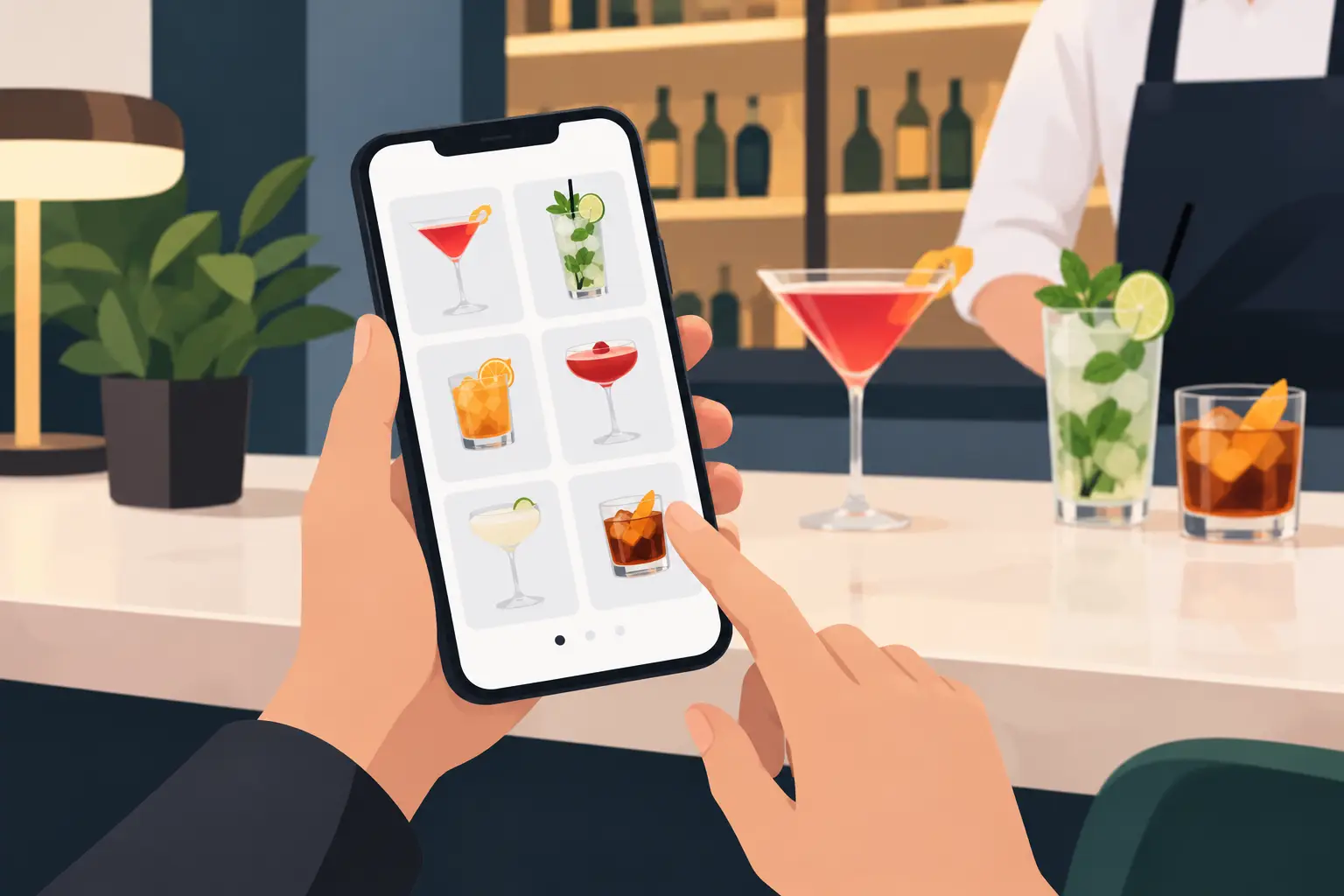
A guest sitting at a table doesn't want to decipher an ingredients list or guess if a cocktail is sweet, sour, or strong. They want to see what suits them in a few seconds and order with confidence. Therefore, the question of how to present cocktails on a phone isn't just about digital menu design. It's about faster choices, higher average spending, and the impression that your venue pays attention to every detail of its offerings.
For bars, restaurants, hotels, and beach clubs, the cocktail menu often accounts for a significant portion of revenue, especially in the evenings and during peak season. A printed menu struggles to keep up with price changes, fresh fruit availability, daily recommendations, or seasonal recipes. A phone, on the other hand, can display the offer clearly, up-to-date, and in a language the guest understands.
Start with the guest's choice, not the recipe
The most common mistake is for a digital cocktail menu to look like an internal bartender's notebook. A name, six ingredients, and a price are not enough for most guests. The bartender knows what orgeat, vermouth, or shrub mean. The guest might not, and won't always want to ask.
Therefore, with each cocktail, add a brief description that explains its taste and when a guest might choose it. Instead of just “gin, lime, syrup, soda,” write: “Refreshing and citrusy, with a mild sweetness. A good choice for a warm afternoon.” Such a description doesn't need to be longer than a single sentence but eliminates hesitation when ordering.
It's also important for names to be consistent. If one description is relaxed and understandable, while another is full of technical jargon, the menu appears unfinished. Standardize the order of information: name, short taste impression, main ingredients, and price. Once a guest understands the pattern, they can more easily compare the entire offering.
How to present cocktails on a phone without clutter
A phone screen is small, but that doesn't mean you have to hide useful information. The solution is hierarchy. Guests should first see what helps them decide, and only then the details they're interested in.
The name and price should be immediately noticeable. Below them, place the taste description, while ingredients can be shorter and secondary. If your venue has a large selection, group cocktails according to how guests think, not just by alcohol type. Categories such as “refreshing,” “fruity,” “classic,” “non-alcoholic,” and “sharing” are often more useful than strictly technical divisions.
Don't create too many categories. If a guest has to open five submenus to get to a Mojito, navigation slows down the order. For a smaller menu, a few clear groups on the same page are usually sufficient. For a more extensive offering, use clear sections and names that immediately explain the content.
Photos can increase appeal, but only if they are high-quality and aid in selection. One well-lit photo of a cocktail with a recognizable appearance does more than a gallery of inconsistent images. A bad photo, a photo from another venue, or an oversized image that pushes the price off-screen can have the opposite effect. If you don't have good photos for all items, it's better to use them selectively than randomly.
Describe the taste in simple language
Guests don't just choose a drink; they choose a mood. The description “light and refreshing” appeals to a different guest than “intense, bitter, and aromatic.” A digital menu is the right place to make this difference visible without additional staff explanation.
Short tags like sweet, sour, bitter, creamy, fruity, or strong are helpful. You don't need to tag every possible characteristic. Two to three of the most important pieces of information are quite enough. For cocktails with a stronger character, you can clearly indicate that the alcoholic base is the dominant flavor, while for lighter summer options, emphasize freshness and fruity notes.
The description must be accurate. If the drink contains hot pepper, smoked syrup, or an unusual herbal ingredient, state it simply and without dramatizing. A guest expecting a classic fruity cocktail who receives a distinctly spicy drink will likely not be satisfied – even if the recipe is high quality.
Highlight offerings that lead to better decisions
A digital menu allows you to subtly guide choices without an aggressive sales tone. This can include labels like “bar recommendation,” “new,” “seasonal,” or “most popular.” Such labels are useful when they truly have meaning. If half of the offerings are labeled as recommendations, none of the labels help anymore.
Seasonal cocktails deserve a special place. During summer, these might be lighter combinations with citrus, berries, or local ingredients. In colder periods, guests more often choose more aromatic, creamy, or spiced options. The advantage of a digital menu is that you can make this change as soon as the offering changes, without waiting for new printing.
Also, don't forget non-alcoholic cocktails. Don't put them at the end as an afterthought. A clearly presented non-alcoholic offering is important for drivers, families, hotel guests, and anyone who wants a social ritual without alcohol. If a non-alcoholic cocktail looks and sounds just as appealing as the others, it's more likely to be ordered.
Price, availability, and measurements must be clear
An unclear price disrupts the experience. The guest then has to ask the staff, and the staff checks the menu or cash register. On a busy terrace and during evening rush hour, that small delay quickly turns into slower service.
In addition to the price, where relevant, state the volume or measurement. If you offer a cocktail in a standard glass, a larger serving, or as a pitcher for multiple people, the difference must be visible before ordering. For premium ingredients and additions, such as changing the base or adding syrup, the rules should also be briefly explained.
Availability is equally important. A cocktail you currently cannot prepare should not appear active. Temporarily hide it or clearly mark it as unavailable. This saves time for the bartender, waiter, and guest, and leaves the menu with an impression of neatness.
Prepare the menu for international guests and fast staff
In tourist areas, cocktail menus are often read in multiple languages. Translation should not be literal at all costs. The cocktail name usually remains the same, while the description should convey the taste in clear, natural sentences. Pay special attention to allergens and ingredients that may be important to guests with special requirements.
Multilingualism benefits more than just tourists. It makes it easier for staff who can show the guest the exact description instead of long explanations of each drink's composition. However, a digital menu does not replace a good recommendation from a waiter or bartender. It gives them a reliable basis, while people still add the personal touch that makes a difference.
Before publishing, check a few practical things:
- Can the name, description, and price be read without zooming?
- Does each cocktail have the same information layout?
- Are unavailable items removed or clearly marked?
- Are the translations understandable to a guest who doesn't know local terms?
- Are the photos quick to load and truly represent the offered drink?
Your digital menu should support your venue's operations
A cocktail menu is not a static document. Prices change, suppliers are delayed, seasons bring new ingredients, and the best recipes come and go during operation. A system like menu4.me allows you to implement such changes without reprinting and without the risk of old information remaining at the table.
This is especially useful when you want to activate a short promotion, highlight the cocktail of the day, or adapt the offering to an event. For an evening program, you can select a few premium cocktails, and for a daytime terrace, emphasize lighter options. You don't have to change the entire menu to show the guest what is most relevant that day.
The best digital display doesn't try to impress with effects. It shortens the path from curiosity to order: the guest sees the drink, understands it, knows the price, and chooses easily. When a cocktail menu functions this way on a phone, staff have fewer repetitive questions, and every good recommendation has a greater chance of ending up in a glass.