Mark Sold-Out Items Online without Errors
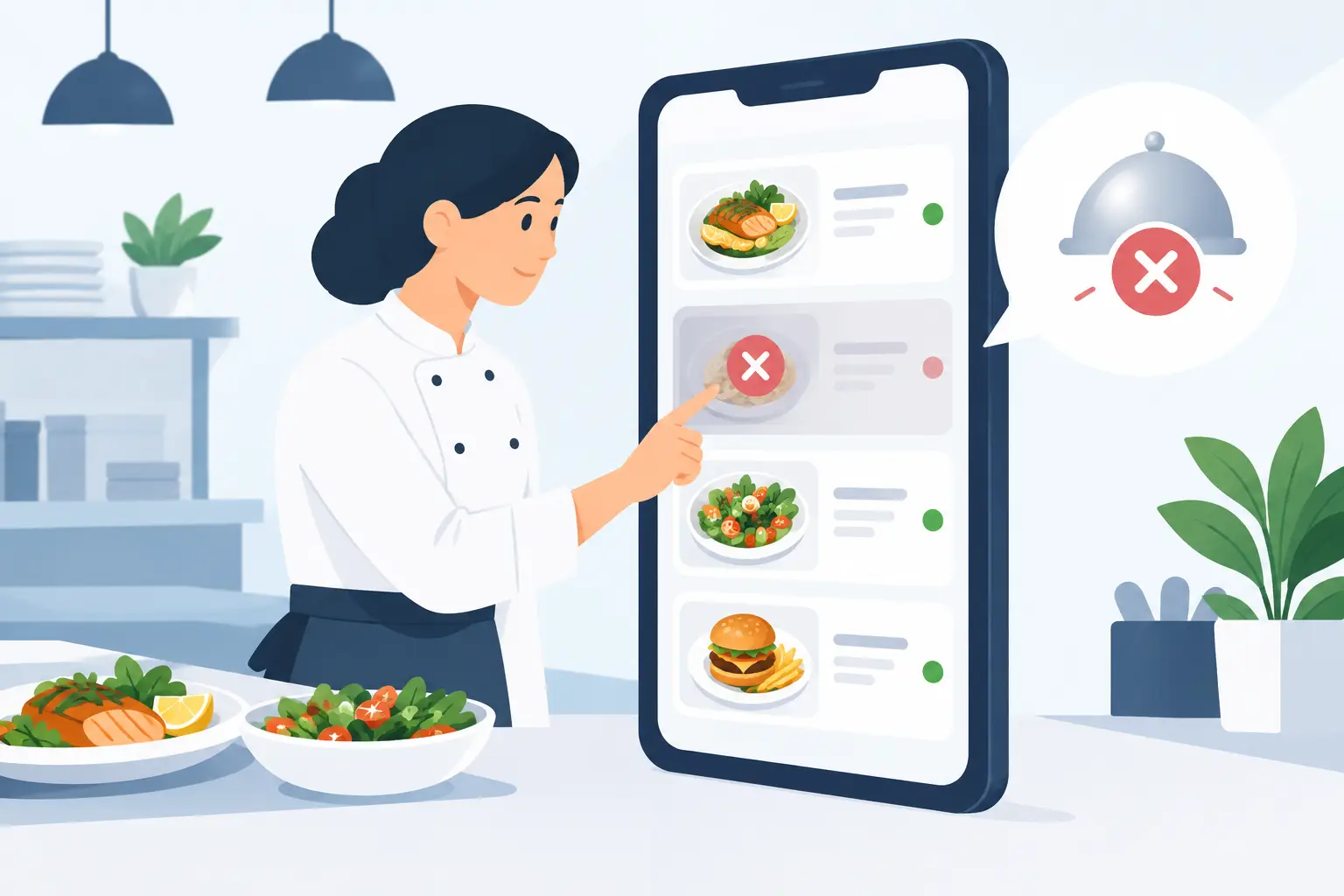
A guest opens the digital menu, chooses a burger they like, and only at the table does the waiter announce it's unavailable. This small situation can easily create an impression of disorganization, especially when the patio is full or the establishment is in peak season. Marking sold-out items online solves precisely this problem: the guest immediately sees the actual offerings, and staff don't have to repeatedly explain what's currently unavailable.
For restaurants, cafés, bars, and hotels, a digital menu is more than just a nicer presentation of your offerings. It needs to keep up with the daily operations of the kitchen, bar, and inventory. When a dish runs out, when a delivery is delayed, or when a daily special sells out before the evening shift, the information must reach the guest without delay and without reprinting.
Why the "Sold Out" Status Directly Impacts Service
Guests don't expect every item to be available at all times. They understand that fresh fish might sell out, a daily cake has a limited quantity, or a particular wine might be temporarily out of stock. What they don't accept well is finding out too late.
A clearly marked sold-out item sets a realistic expectation before the guest calls the staff. This reduces interruptions in ordering, speeds up selection, and eases the burden on the front-of-house team. Waiters can focus on recommendations, allergy questions, or upselling, instead of repeatedly delivering the same bad news.
This feature also builds trust. A digital menu that displays what the kitchen can actually prepare appears professional. Conversely, a menu full of unavailable items can give the impression that offerings aren't being managed, even when the reason is completely legitimate.
What Marking Sold-Out Items Online Should Look Like
The best solution is simple: the item remains visible but is clearly marked as sold out and cannot be easily mistaken for an available product. Guests shouldn't have to click on a dish, read the description, and only then find out it's unavailable. The status should be noticeable in the category overview itself.
For most establishments, it makes sense not to completely delete a sold-out item. If a guest sees that a certain specialty existed, staff can offer a similar alternative. In a fish restaurant, this might be another daily fish, and in a patisserie, another dessert from the same category. Hiding an item completely makes sense when it won't be returning for a long time or when it's a seasonal offering that has concluded.
Wording is also important. The label "Currently Sold Out" is clearer and more polite than a message that sounds like a system error. If it's known that an item will soon be available again, it can state "Available from 7 PM," but only when the team can truly fulfill that promise. Uncertain timelines should not be presented as definite information.
Don't Confuse "Sold Out" and "Not Offered"
These two situations are not the same. "Sold Out" means the dish is temporarily unavailable but is part of the current offering. "Not Offered" means the item has been removed – perhaps due to a concept change, the end of a season, or a new menu.
This distinction is particularly useful in hotels and seasonal venues. Breakfast might have items that disappear during service and return the next day, while summer cocktails are removed from the menu after the season ends. A good digital menu allows for both actions without causing confusion for the guest.
Who Updates the Menu and When
Technology solves the problem only if there's a simple routine. In smaller establishments, availability status is often changed by the owner, shift manager, or bartender. In larger restaurants, responsibility might be split between the head chef, restaurant manager, and the team managing the digital menu.
It's not crucial who has access, but rather that everyone knows who makes the decision and who inputs it. When the kitchen says the last portion has been sold, the status should change immediately. If you wait until the end of the shift, the digital menu loses its main advantage over printed ones.
Good practice is a quick check before opening, during the busiest part of the day, and before the evening shift. This doesn't have to be a separate administrative task. It's enough for the person running the shift, while checking reservations and key item stock, to also look at menu availability.
For establishments with multiple locations, the rule must be even more precise. A dish that is sold out in one restaurant may not be sold out in another. Each location should have its own menu or its own availability control, so guests don't receive incorrect information.
Situations Where Quick Changes Are Most Valuable
Not all changes in offerings are planned. That's why a digital menu has the greatest value when the day doesn't go as planned. These are common situations in hospitality:
- the daily special sells out earlier than expected;
- a supplier is late with fish, meat, pastries, or a specific drink;
- the kitchen temporarily suspends an item due to equipment failure or staff shortage;
- prices change due to procurement, and the old amount must not remain visible to the guest;
- the patio, beach bar, or hotel restaurant operates with a different menu depending on the time of day.
In all these cases, the goal is not for the menu to appear perfectly static. The goal is for it to reflect the real situation. Guests appreciate accurate and up-to-date information more than a broad but unreliable offering.
Avoid Two Common Mistakes
The first mistake is leaving sold-out items active with verbal notification from staff. This might work during quiet periods, but when a large number of guests arrive, the team starts to fall behind with information. The result is repeated questions, changed orders, and frustration at the table.
The second mistake is overly hiding offerings. If half a category disappears from the menu, the guest might not understand that it's a temporary situation. In some cases, it's better to keep the item with a sold-out status, and immediately highlight an available substitute below it. This works particularly well for daily specials, wine by the glass, and desserts.
There's also a third, more subtle problem: the status changes, but staff aren't informed about what to offer as a substitute. The digital menu and the front-of-house team must communicate the same information. If tuna is sold out, the waiter should know whether to recommend salmon, sea bass, or another specialty. A brief internal note before the shift is often sufficient.
Digital Menu as a Tool for Seasonal Operations
On the Adriatic and in tourist cities, changes in availability are not an exception but a part of business. Higher traffic, unpredictable deliveries, daily catches, multilingual guests, and varying operating hours demand a menu that can adapt in minutes.
That's why a platform like menu4.me plays a practical role in daily organization: staff can update availability, price, or description without new printing and without waiting for a designer. The guest, on the other hand, scans the same QR code and gets the current version of the offerings on their phone.
Multilingualism further enhances the effect. A foreign guest doesn't have to interpret verbal information about what's unavailable. A clear mark next to the dish works equally well in Serbian, English, German, or any other language the establishment uses. This is a small operational change that reduces misunderstandings where they are most costly – at the moment of ordering.
Set a Rule Your Team Can Follow
The best system is one that can be used even during busy times. Determine who changes the status, when the status is checked, and what substitutes are available for best-selling items. Then check the menu display as a guest: is it immediately clear what's available, does the message sound clear, and does the alternative make sense?
When a guest opens the menu and finds a realistic offering without asking, the service starts better even before the waiter approaches the table. This is a standard that is easily maintained, and on the busiest days, it makes a noticeable difference.