How to create a QR menu for your restaurant without printing
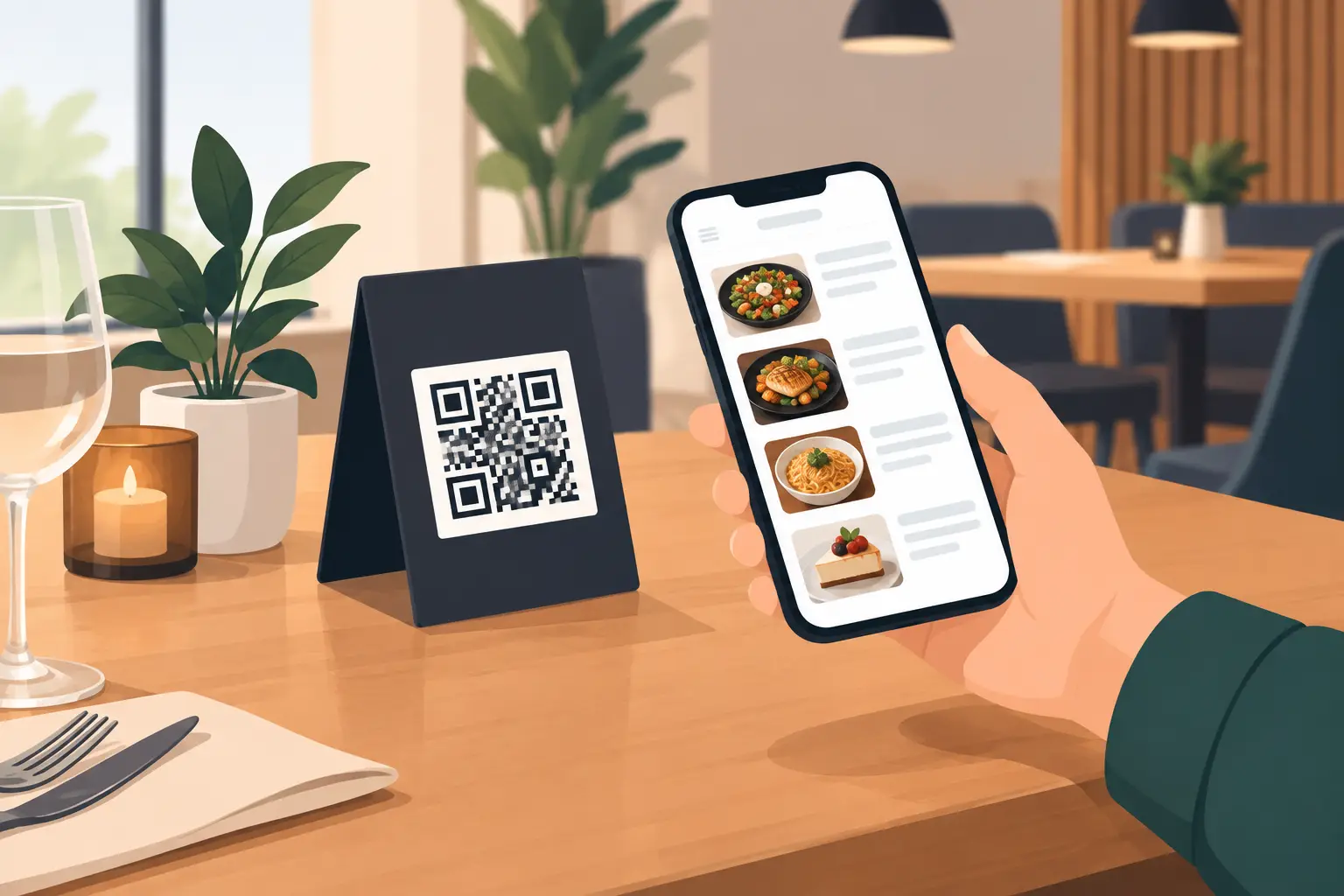
A guest sits down, scans a code, and in a few seconds sees the current offerings on their phone. No waiting for a waiter to bring a menu, no crossed-out old prices, and no awkward situations where a dish is no longer available but still listed on the printed menu. This is why the question of how to create a QR menu today isn't a technical one, but a practical question of service organization.
For a restaurant, café, bar, or hotel, a digital menu needs to be simple for the guest and even simpler for the team maintaining it. The code itself isn't the menu. It's just an entry point to a page that must load quickly, clearly display the offerings, and allow prices, descriptions, and availability to be changed without reprinting.
How to create a digital menu that guests actually use
A good digital menu starts with content, not code design. Before you create a QR code, prepare a digital version of your menu that is mobile-friendly. Most guests won't rotate their phone horizontally, zoom into tiny PDFs, or wait for a ten-megabyte document to load. They want to quickly find coffee, breakfast, wine, cocktails, or a main course.
Therefore, divide your offerings into clear categories. For example, breakfast, appetizers, soups, pastas, grilled dishes, desserts, non-alcoholic drinks, beers, wines, and cocktails. Category names should align with how a guest thinks when ordering, not just how you manage internal records.
For each item, include the name, price, and a short, useful description. A description isn't needed for plain water or espresso, but it is for house specialties, dishes with less common ingredients, and cocktails. If a dish contains allergens, nuts, gluten, or dairy products, that information should be visible. This reduces additional questions for staff and gives guests more confidence in their choice.
Photos can increase interest in certain dishes, but use them sparingly. A few high-quality photos of specialties can boost sales. A photo with every item often slows down the page and makes the menu cluttered. For a bar with a large selection of drinks, a clear structure and tidy prices are usually worth more than an image gallery.
Choose a format that isn't just "menu on the internet"
The quickest solution is to upload a PDF file and create a QR code that links to it. This might be acceptable for a small venue with infrequent changes, but it has clear limitations. PDFs are awkward on a phone, changes require a new document version, and the design often depends on whether the guest is using a smaller or larger screen.
A mobile digital menu is more practical when you regularly change prices, have seasonal offerings, or serve international guests. Instead of sending a new file to a designer and printer every time, you make changes directly in the administration panel. Guests always open the same address but see current content.
This is especially useful for establishments on the coast. A summer menu, daily catch, availability of fresh fish, breakfast promotions, or cocktail price changes often cannot be planned months in advance. A digital menu allows you to react the same day, without a pile of outdated printed copies in storage.
Steps to create a digital menu
First, make a list of everything you sell and check that names, weights, and prices align with what the staff actually offers. Digitizing an inaccurate menu doesn't solve the problem. On the contrary, a discrepancy between the price on the phone and the price on the bill quickly erodes guest trust.
Next, decide whether you need one menu version or multiple. A restaurant might have separate menus for lunch, dinner, delivery, the beach, or a hotel room. A café with both outdoor seating and an indoor area can often use the same menu, while a beach bar might have different offers depending on the time of day. It's important that guests don't have to guess which menu to open – the QR code and the table marker should guide them to the right content.
The third step is to enter translations. If you operate in a tourist area, Serbian and English are the most common base languages. Depending on your guests, German, Russian, or other languages might make sense. Don't just translate dish names. Translate categories, descriptions, allergens, and important notes. A poor automatic translation can sound unprofessional and create confusion about ingredients.
Once the digital page is ready, you generate a QR code that leads directly to the menu. Then you place the code on tables, the bar, the bill, the entrance, or hotel rooms. Don't put it in just one place in the venue. A guest sitting in the garden, waiting for an order, or entering from the street should immediately know where to find the offerings.
Before printing, always test the code with multiple phones. Check if the camera recognizes the code immediately, if the page loads quickly over mobile internet, and if the text is readable on smaller screens. Also, test language switching, price display, and functionality on older devices. Something that looks good on a computer can be frustrating for a guest at the table.
Where to place the QR code
The QR code must be large enough and have good contrast. A light code on a patterned background or a small code in the corner of a table often won't work correctly. It's best to use a simple caption, like "Scan for menu," along with the code and a short indication that multiple languages are available.
Table stands are the most common solution, but not the only one. For cafés, table stickers or coasters are practical, while higher-end restaurants might use a discreet card in a holder. Hotels can place the code in rooms, by the pool, and in the breakfast area. If the code is exposed to sun, moisture, or frequent cleaning, the material must be durable and easily replaceable.
You don't need to completely eliminate printed menus if your guests don't expect it. Older guests, families with small children, or guests with low phone battery might occasionally ask for a physical version. Good practice is for the digital menu to be the primary channel, with a few neat printed copies available upon request. Digitization should speed up service, not create an obstacle.
Common mistakes that slow down ordering
The first mistake is too much information on one screen. If a guest has to scroll through dozens of items without categories, the digital menu loses its purpose. The second is unclear pricing – the price should be next to the product, including VAT where that is standard practice for your business.
The third mistake is outdated content. If you set up a digital menu once and forgot about it, you're back to the same problem as with printing. Designate one person responsible for changes or implement a short procedure: when a price changes, when a product is out of stock, or when a promotion starts, the digital menu also changes.
The fourth mistake is treating the QR menu as a replacement for staff. The menu should assist the waiter, not eliminate interaction with the guest. The waiter still recommends wine, explains the daily special, and checks if the guest has questions. The advantage is that they no longer have to spend time on basic information that the guest can already see.
Solution for daily menu changes
If you need a professional menu page, quick updates, and multiple languages, a platform like menu4.me allows your QR code to lead to your venue's menu, not to a static document you constantly have to change. This is especially useful when you operate seasonally, manage multiple locations, or frequently adapt your offerings based on available ingredients.
The true effect doesn't come from the QR code itself, but from how accurate, clear, and dynamic the menu is. When a guest easily finds what they want without asking, and you change your offerings without printing costs, the digital menu stops being an add-on on the table and becomes part of better, faster service.