Digital Wine List for Better Wine Sales
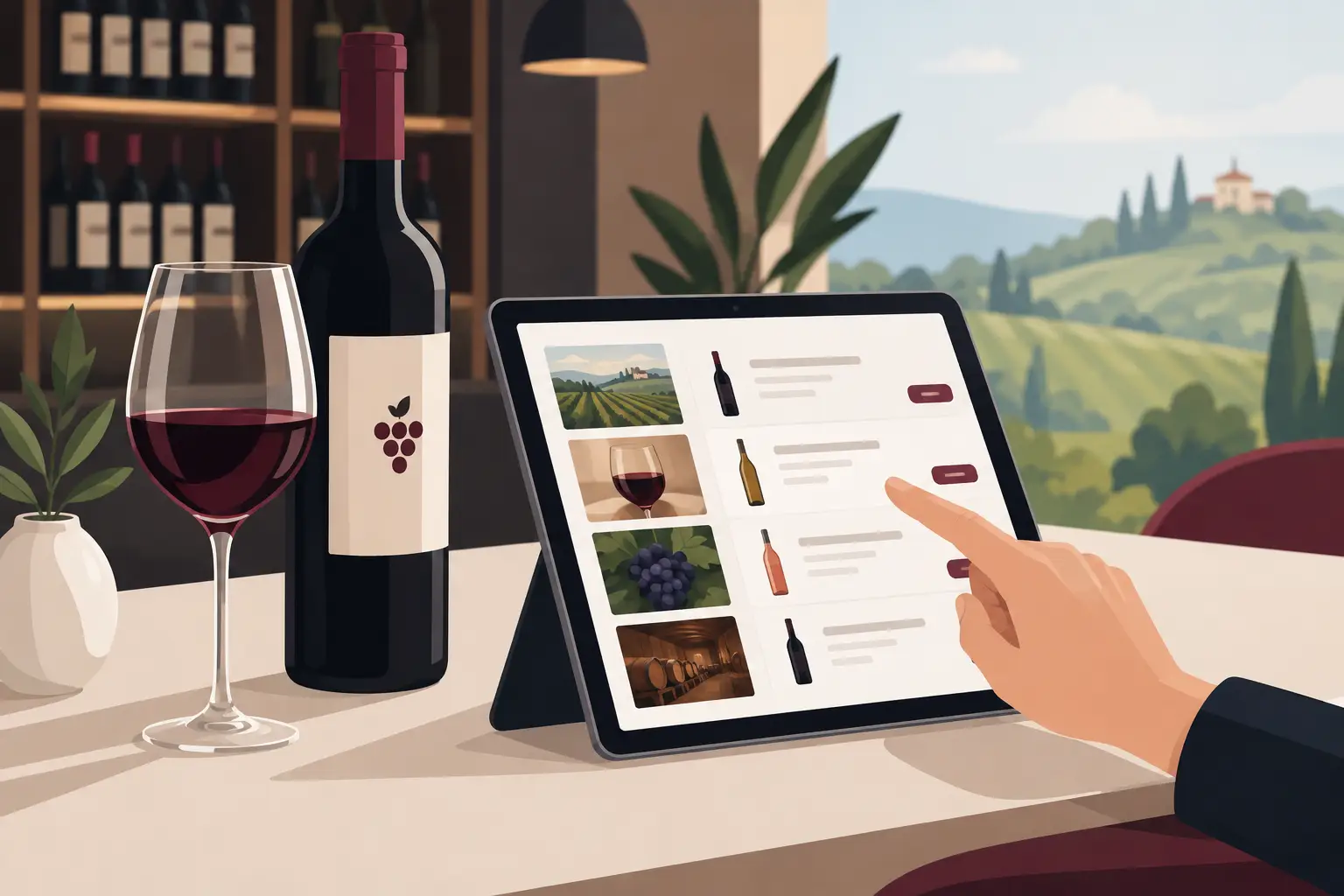
A guest is sitting at a table, wanting a glass of wine with lunch, but is unsure whether to choose Grašac, Tamjanika, or Cabernet. A traditional wine list often doesn't help enough: names are short, vintages outdated, and the waiter, during peak hours, doesn't have time for detailed explanations. A digital wine list easily solves this problem – the guest sees a clear offer on their phone, and the staff retains control over each item.
For a restaurant, bar, or hotel, wine is not just an additional category on the menu. It affects the average check, the establishment's impression, and the quality of the entire meal. Therefore, a wine list must be clear, accurate, and easy to update, especially when prices, availability, or selection of labels change week to week.
Why a Printed Wine List Slows Down Service
Wine offerings change more frequently than most guests assume. Some labels sell out, a new vintage arrives, a distributor changes prices, and a seasonal menu calls for different recommendations. When all this is on a printed list, every change means new editing, checking, printing, and cost.
The most awkward situation arises when a guest chooses a wine that is no longer available. The waiter then has to apologize and offer a substitute, while the guest gets the impression that the offering is not well organized. The problem isn't just one bottle – such small interruptions affect service speed and trust in the entire establishment.
The digital format allows wine to be removed from the offer as soon as the last bottle is sold, to change prices without waiting, and to highlight a label you want to sell that day. This is especially useful for coastal restaurants, hotels, and establishments with high tourist traffic, where supply and demand change quickly.
What a Good Digital Wine List Should Show
A good list doesn't try to turn a guest into a sommelier. Its role is to eliminate uncertainty and facilitate decision-making. The wine name and price are a start, but rarely sufficient when a guest is choosing between several similar labels.
For each wine, it's worth showing a few specific pieces of information: the grape variety or blend, the winery, country or region, vintage when relevant, bottle volume, and price per glass if the wine is available that way. A brief taste description is often more useful than technical jargon. Instead of long notes on aromas, a clear guideline like "fresh and fruity, good with fish" or "fuller red wine for robust meat dishes" means more to the guest.
A photo of the label can enhance visual appeal, but it shouldn't replace information. For a larger wine selection, it's important that the page remains fast and clear. A few carefully selected photos, along with a clean category layout, usually yield better results than a gallery of every bottle.
Categories That Help Guests Decide
The simplest way to categorize wine is by white, red, rosé, sparkling, and dessert wines. If the establishment has a broader selection, further divisions could be by glass and bottle, domestic and foreign wines, or recommendations for specific dishes.
However, avoid creating too many filters. A guest at the table wants a quick decision, not a catalog search. Categories should align with how guests actually order. In a seafood restaurant, recommendations for fish and seafood make sense. In a wine bar, regions, varieties, and natural wines might be more important.
Digital Wine List as a Sales Tool
The greatest value of a digital list isn't just saving on printing. A well-presented offering can increase wine orders, especially when the guest hasn't decided what they want in advance.
When you highlight wine by the glass, the house recommendation, or a good pairing with a best-selling dish, the guest gets a concrete reason to try something new. This is discreet selling that doesn't feel pushy. The waiter remains important for personal recommendations but doesn't have to explain the basic differences between each wine from scratch.
Short recommendations for dishes work particularly well. Next to a steak, there could be a suggestion for a fuller red wine; next to seafood pasta, a fresh white; and with dessert, a sweet wine or sparkling wine. Such recommendations should be realistic and based on the kitchen's offerings, not just the desire to sell the most expensive bottle.
Pricing also requires a good display. If you offer wine by the glass, clearly state the serving quantity. If certain wines are only available by the bottle, leave no room for confusion. A transparent list speeds up ordering and reduces additional questions for the staff.
Multiple Languages Without Multiple Menu Versions
In tourist areas, guests often don't speak the local language, and waiters don't have time to translate the entire wine list. One poorly translated item can confuse a guest, while a complete lack of translation limits sales.
A digital menu allows the same wine list to be available in multiple languages. The guest chooses the language they understand, and the establishment maintains a single, organized database. When you change a price, description, or availability, the change can be applied to all language versions instead of manually correcting multiple documents.
However, translation should be careful. Names of indigenous varieties, wineries, and regions should not be forcibly translated. It's better to add a brief explanation that gives context to the foreign guest. For example, next to Prokupac, it could state that it is an indigenous Serbian red variety with pronounced fruity characteristics.
How to Set Up a Wine List Without Complications
Starting doesn't have to be a long project. First, list the wines that are actually available, along with exact prices and serving formats. Then, determine categories that your guests can most easily choose from.
After that, prepare brief, useful descriptions. Not every item needs the same number of details, but the data must be consistent. If you list the variety, region, and vintage for one wine, don't leave only the name for the next. Consistency makes the offering professional and reduces guest questions.
Before publishing, open the list on several different phones. Check that the fonts are legible, prices are visible without zooming, and guests can quickly navigate to the category they are interested in. The QR code should be placed where guests naturally look for a menu: on the table, bill, hotel reception, or next to the wine display.
A platform like menu4.me makes sense when you want to keep food, drinks, and wine offerings in one place, with simple changes that don't depend on new printing. It's important that the system is easy for daily use, and doesn't create additional administrative work.
Mistakes That Reduce the Effectiveness of a Digital Wine List
The first mistake is too much technical language. Terms like tannins, minerality, or maceration have their place, but they don't help every guest. Use them when they serve an explanation, along with a simpler description that leads to a decision.
The second mistake is a list without regular maintenance. A digital menu only brings advantages if the information remains accurate. Someone on the team should have clear responsibility for updating sold-out labels, new prices, or vintage changes.
The third mistake is neglecting wine by the glass. For many guests, it's the easiest way to try something new, especially with lunch, a business meeting, or when they don't want a whole bottle. A clearly presented by-the-glass offering can increase sales and help highlight wines that best complement your cuisine.
A digital wine list should follow the actual rhythm of your establishment: what you have in stock, how your guests choose, and the dishes your kitchen prepares best. When it's clear and up-to-date, it requires no additional explanation – it gives the guest the confidence to order wine they will truly enjoy drinking.