Digital Menu Without App for Better Restaurant Service
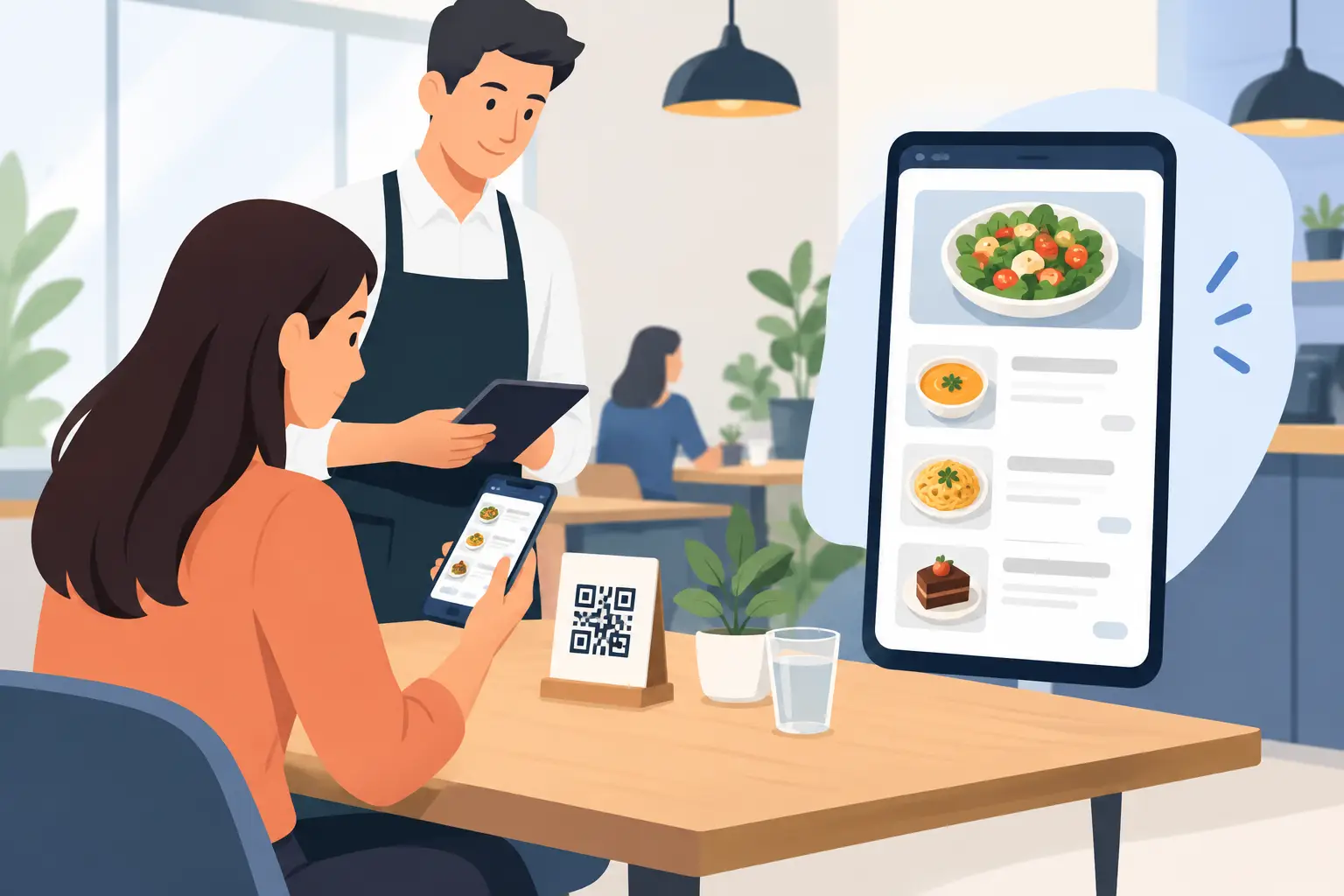
A guest sits down, scans a QR code, and in seconds, opens your complete offer on their phone. No account needed, no app to install, and no waiting for a waiter just to see the menu. This is precisely why a digital menu without an app is a practical solution for restaurants, cafes, bars, and hotels seeking modern service without extra steps for the guest.
For the operator, the value isn't just in the QR code. The real advantage is the ability to instantly change prices, descriptions, photos, availability, or translations, without printing new batches of menus and without the risk of old copies remaining on tables. This is especially crucial in a market where offerings change frequently, and seasons, daily procurement, and guest demographics dictate operational speed.
What does a digital menu without an app actually mean?
It's an online menu that guests open in a standard web browser on their phone. Most often, they access it by scanning a QR code placed on the table, bar, bill, entrance, or in a hotel room. It can also be opened via a short web address when more convenient.
The key difference is simplicity. With an app, the guest has to find the right program, download it, accept permissions, and often provide data they don't want to share. For a single coffee, lunch, or dinner, that's too much friction. A browser-based menu works on a device the guest already uses and doesn't interrupt their visit with unnecessary steps.
This approach doesn't mean the phone replaces staff. Waiters still recommend wines, explain ingredients, take orders, and build rapport with guests. The digital menu handles the part that doesn't need to wait: browsing the offer, prices, allergens, languages, and current availability.
Why guests prefer a menu without installation
Guests want information immediately. This is especially true in high-traffic venues, on terraces, beaches, in hotels, and in locations with many foreign visitors. When several people at a table want to see the offer, everyone can open the menu in their own language without sharing a single printed copy.
A good mobile menu must be easy to navigate, not just a PDF scaled down for a small screen. Categories should be clear, items easily readable, and prices visible without zooming. Photos can help with specific dishes and cocktails, but they shouldn't slow down the page or replace clear descriptions.
Multilingualism is another concrete advantage. Tourists shouldn't have to guess what they're ordering or translate a blurry image from a poorly printed menu. When the name, description, and relevant information are available in a language they understand, decisions are faster, and communication with staff is more precise. This benefits both the guest and the front-of-house team.
Operational advantage starts after the first change
A printed menu seems simple until the offer changes. Then come manual corrections, cross-outs, verbal additions, different prices on different copies, and new print orders. If prices rise and an old menu remains on the table, staff face the awkward situation of explaining the difference to guests.
A digital menu solves this problem centrally. A manager or authorized team member can change an item once, and the update becomes visible to everyone who opens the menu. The same applies to daily specials, sold-out ingredients, happy hour promotions, new wine labels, or seasonal desserts.
This doesn't mean every change has to be frequent. A stable restaurant with a small menu might not update its offerings daily. But when a change is needed, the ability to do it in minutes instead of days has clear business value.
Price isn't the only information that changes
In practice, portion sizes, side dishes, ingredients, availability, and labels like vegetarian or spicy often change. With allergens, there's no room for imprecision. The digital format makes it easy to input information clearly and consistently, but responsibility for accuracy remains with the operator.
A good system should allow temporarily unavailable items to be hidden or marked, rather than having the waiter repeatedly announce that something is out. This saves team time and prevents guest disappointment after they've already chosen a dish.
How to set up a digital menu that truly serves the guest
Technology won't fix a poorly organized offer. Before publishing, decide what the guest should see first and in what order they'll navigate through categories. Best-selling drinks, breakfast, daily specials, or cocktails can get a prominent spot, but navigation must remain natural.
Content should be prepared as if for a good waiter: item name, a brief and accurate description, price, relevant labels, and translation where needed. The description “house specialty” itself doesn't say much. It's much more useful to briefly state the main ingredients or preparation method, especially for dishes unfamiliar to international guests.
To start, four things are needed:
- an organized category structure and an up-to-date item list;
- clear prices, descriptions, and ingredient information;
- translations adapted for the guest, not automatic and unverified text;
- QR codes placed where guests can easily spot and scan them.
The QR code should not be printed too small or placed on a visually cluttered background. Guests must immediately understand what they'll get by scanning. A short message like “View Menu” is sufficient. If the code is on a table, it's good to check if it can be read in low light and from the angle at which a guest actually sits.
PDF is not the same as a mobile menu
Many establishments initially place a QR code that leads to a PDF file. This can be a temporary solution, but it rarely provides a good experience on a phone. Small fonts, multiple zooming, and slow loading make viewing difficult, especially when guests are outside using mobile internet.
A mobile digital menu is designed for a phone screen. Guests select a category, quickly find an item, and return to the previous view without getting lost in document pages. For staff, the advantage is that changes don't involve re-editing and re-uploading a new file every time a price changes.
A platform like menu4.me is focused precisely on this daily need of restaurateurs: to make the offer look professional, be immediately accessible, and remain simple to administer, without a complicated technological project.
Where are the limits and what needs planning?
A digital menu doesn't necessarily have to be the only menu in the establishment. In a restaurant with an older clientele, weaker signal, or a specific concept, a few printed copies can be a good backup option. Guests should never feel disadvantaged because they don't want or can't use a phone.
Internet connection is also a real factor. The page must be lightweight and load content quickly, and staff should know how to help if a guest has trouble scanning. The solution is not to ask guests to install an app, but to make the path to the menu as short and reliable as possible.
It's also important to determine who on the team maintains the content. If everyone can change prices without agreement, a digital tool can create a new kind of chaos. Clear responsibility, review before publishing, and consistent item names preserve the quality of information guests see.
Menu as part of service, not a technical add-on
The best digital menu doesn't attract attention because it's “digital.” It works quietly and quickly, like a well-set table. Guests get needed information without waiting, while staff get more room for what truly elevates service: recommendations, speed, attention, and a pleasant feeling in the establishment.
The next time you change a price, add a seasonal dish, or welcome guests from multiple countries, it's worth checking how many steps it takes for new information to reach the table. If the answer is “a few minutes,” your menu is already working at the pace of your establishment.